
Race Sponsor Logo Kit
Show sponsors where their logo will go, ask for the right files, and give everyone a clear artwork deadline.
Use the PDF to share the placement plan with your team. Use the email template to request artwork from sponsors.
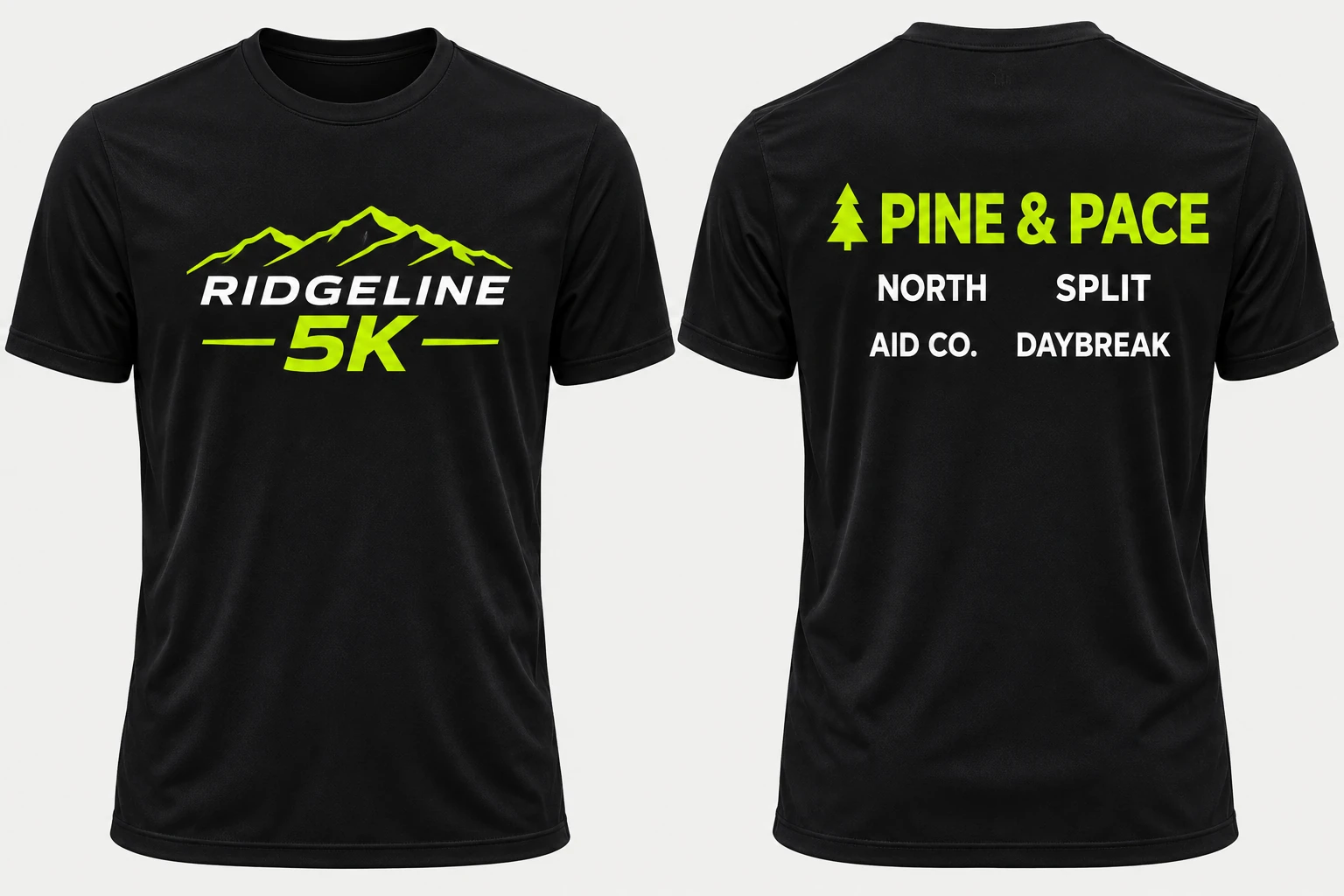
Front: race artwork. Back: title sponsor at the top, supporting sponsors in the middle, and community sponsors below.
Set the sponsor placements
Agree on placements before the sponsor packet goes out. Give sponsors in the same tier comparable visual weight and ask your printer to confirm the final print area.
Title sponsor
Reserve the upper back for the largest sponsor mark. Keep the race identity on the front unless a front placement is part of the agreement.
Supporting sponsors
Use a shared middle row. Balance how large the marks look, especially when one logo is wide and another is tall.
Community sponsors
Use the lower row. If marks become too small to read, split them into another row or discuss a name-only treatment with sponsors and your printer.
Ask for these files
- A vector logo in AI, EPS, SVG, or vector PDF. Ask for outlined fonts if possible.
- An approved one-color version if the shirt uses one ink. Ask for a light version for dark shirts or a dark version for light shirts.
- The exact display name and the contact who can approve the proof.
- If vector artwork is unavailable, send the largest original file and ask your printer to check it before promising placement.
Set the artwork deadline
Start with the printer’s proof approval date and give yourself time to review artwork or chase missing files. A one-week review window is a starting point.
Send the artwork request
Replace the bracketed details before sending. The deadline calculator can fill in the due date below.
Subject: [Race name] shirt logo due [artwork deadline]
Hi [First name],
Thanks for supporting [Race name]. Could you reply with your print-ready logo by [artwork deadline]? Your logo is slated for [placement or sponsor tier] on the race shirt.
Please send the vector logo (AI, EPS, SVG, or vector PDF), an approved one-color version if available, and the name of the person who can approve the proof. If you only have a PNG or JPG, send the largest original file you have and we’ll check it with our printer.
Thanks!
[Your name]
Approve the final shirt proof
Compare the proof with the placement you promised each sponsor. Assign one person to consolidate feedback and send the printer written approval on the final version.
- Check every sponsor’s display name, artwork version, tier, and relative size.
- Review the placement, print colors, and legibility against the selected garment and smallest size.
- Cross-check garment styles, color, size totals, and the handoff date against your order sheet.
- Record the proof version, approver, and approval date. Request a revised proof if any artwork changes.
Ready to plan the shirt order?
Use the Race Merch Planner to turn registrations into shirt quantities and work backward from race day. If you’re ready for pricing, send us your event date, estimated quantities, and artwork.